
What Nanonets Does
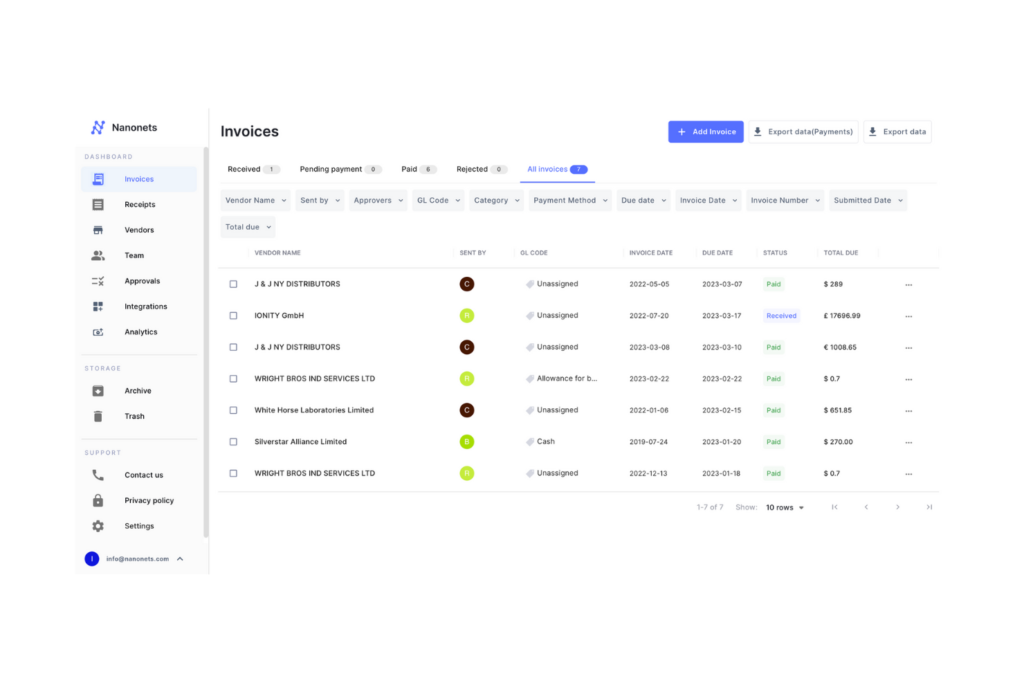
Nanonets is a platform built to take the pain out of working with documents and data. Most teams deal with messy PDFs, emails, invoices, receipts, forms, and spreadsheets every day. Someone has to extract information, move it into another system, fix errors, and repeat the cycle. Nanonets steps in to automate that entire workflow. It uses machine learning to pull the right data from documents, validate it, and push it to the tools a company already uses. Instead of teams spending hours on manual entry, they can hand those tasks to an automated pipeline that runs quietly in the background nanonets. The idea is simple: let humans focus on decisions instead of chores. What makes Nanonets stand out is that it works even when documents vary in layout or quality, which is usually where traditional OCR tools fail. It trains models to understand patterns, so it can handle everything from structured invoices to handwritten notes with much better accuracy.
Why Businesses Use It
Businesses turn to Nanonets for efficiency, but they stay because it simplifies their operations. Finance teams use it to process invoices and receipts without touching each file. Logistics teams use it to extract data from bills of lading or shipping documents. HR teams use it to sort resumes or employee forms. The platform connects with tools like QuickBooks, Google Sheets, SAP, HubSpot, and many more. That means data flows directly to the systems people already rely on. This reduces errors and speeds up approval cycles. Instead of waiting days for documents to be entered or checked, teams can act within minutes. The platform also allows users to build rules that match their own processes, so no two automations need to look the same. For growing companies, this flexibility is essential because workflows often shift as teams scale.
The Technology Behind It
At its core, Nanonets uses AI models designed to understand documents the way a human would. It reads text, identifies fields, learns context, and adapts to new file types as it receives feedback. This is different from simple OCR tools that only copy text. Nanonets looks for meaning. If a vendor changes the layout of an invoice, the model can still find the total amount or due date because it learns from examples rather than fixed rules. It also performs validation checks based on business logic. For instance, if a value seems too high or a field is missing, the system flags it for review. This keeps data clean without forcing employees to check every item manually. For companies that work with large volumes of documents, the time saved adds up fast.
How Teams Benefit
Teams using Nanonets usually see two main benefits: fewer repetitive tasks and better accuracy. Manual data entry drains time and attention, and it often leads to mistakes. With Nanonets, the process becomes faster and more consistent. Employees spend their time reviewing exceptions or making decisions instead of typing numbers. Managers gain clearer visibility because data is organized in real time. Audits become easier because every action is logged. Remote teams especially benefit, since document handling no longer depends on who is in the office. The platform also supports collaboration by letting different users review or approve data within the same dashboard.
The Future of Automated Document Processing
As businesses handle more digital files each year, tools like Nanonets become less of a luxury and more of a necessity. The old approach of hiring more people to manage paperwork does not scale well. Automation is becoming the standard. Nanonets is positioned at the center of this shift because it blends machine learning with practical workflow tools. It does not aim to replace people. Instead, it aims to remove the bottlenecks that keep teams from working at full speed. As models continue to improve and integrations grow, the boundary between documents and systems will only become thinner. For any company looking to modernize operations, Nanonets offers a direct path to smoother, faster, and more reliable data handling.

Leave a Reply